
If you’re thinking of changing worlds in Once Human to play with a friend or otherwise, then here’s what you need to do.
Once Human is split into several worlds which players can switch between at any time. This is to prevent servers from becoming too full and crashing. Your buildings and other permanent items in a world won’t be transferred when you switch, but you, your progress, and your inventory will. You’ll need to switch worlds if you want to play Once Human with your friend, so we’ve explained exactly how to do it below.
How to Change Worlds in Once Human
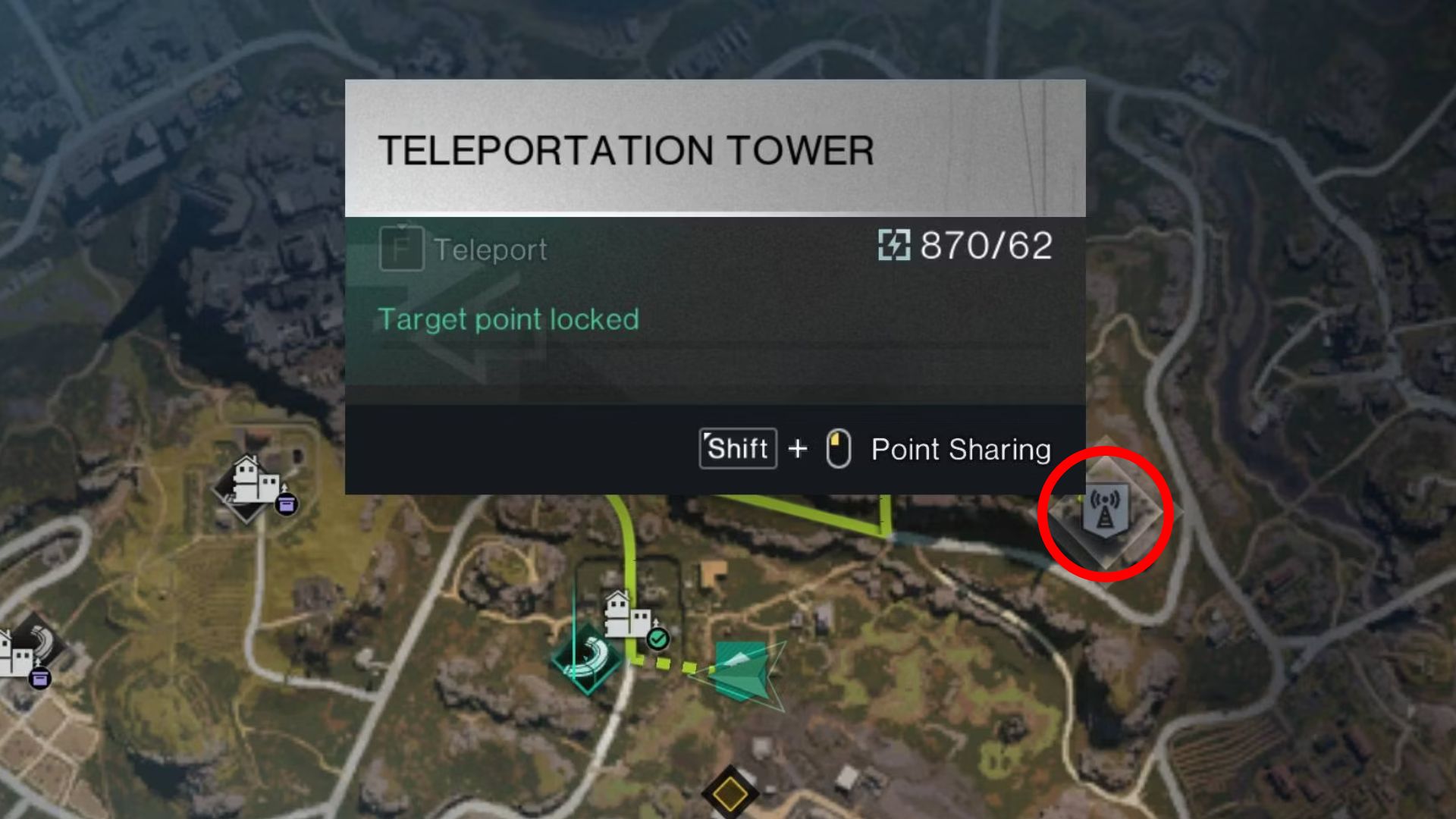
To change your world in Once Human, you’ll need to locate a Teleportation Tower. You’ll be able to spot them on your map by finding the symbol that looks like a Radio Tower. Once you’ve found a Teleportation Tower, interact with it (press the G key on PC). Then, select the world you want to join from the list of options. If you’re trying to play with a friend, you’ll need to make sure you pick the same world.
Once you’ve interacted with a Teleportation Tower for the first time, you’ll then be able to fast travel back to it whenever you want. This will make the process significantly simpler. As soon as you appear in the new world, everything will be the same. The only major difference is the players in that world and that none of the buildings you placed down will be there.
You’ll only really need to switch worlds if you’re trying to partner up with a friend. Of course, if you want a fresh start, you can choose to switch worlds to reset your base. That’s everything you need to know about switching worlds in Once Human. For more guides just like this one, be sure to check out our Guide Hub.
Leave a Reply