
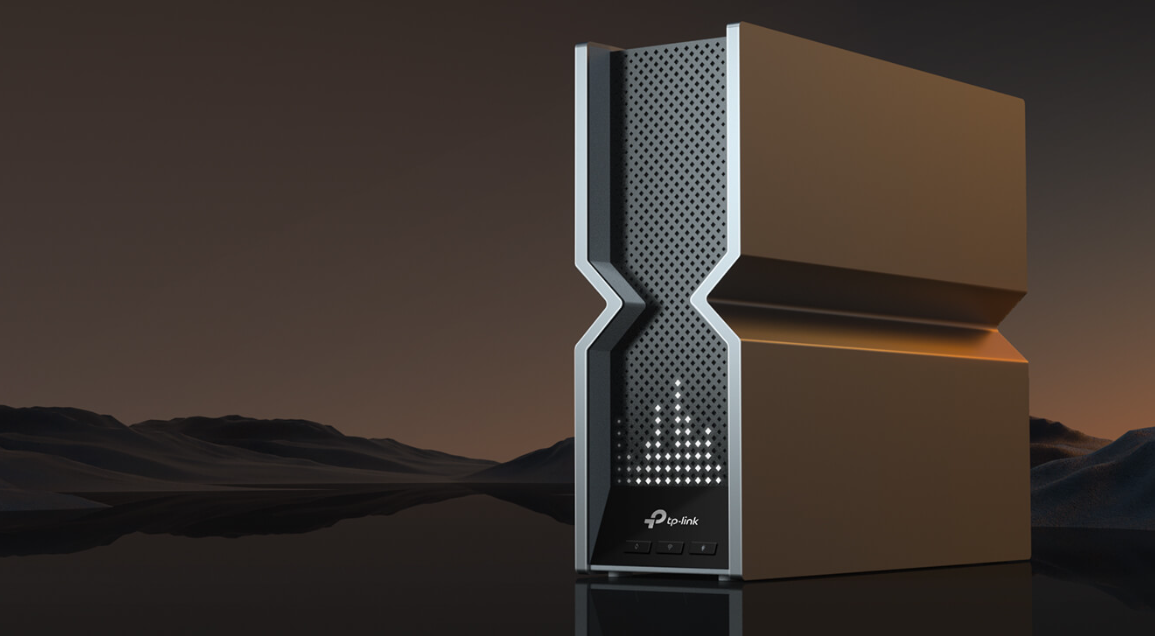
People are always looking to maximize the performance of their internet networks for various reasons. However, not everyone is looking for an excessively large, flashy gaming router that usually delivers the desired performance. Fortunately, TP-Link has released the Archer BE800 router, which has all the bells and whistles of a gaming router but much simpler, family (or business) friendly aesthetics.
This ultra-fast router exceeds the capabilities of most Australian home internet connections but also maintains a highly stable and reliable connection, something that many other fast routers fail to do. The TP-Link Archer BE800 also provides the latest technology, such as Wi-Fi 7, making it future-proof and ready for the foreseeable future.
Design and Features
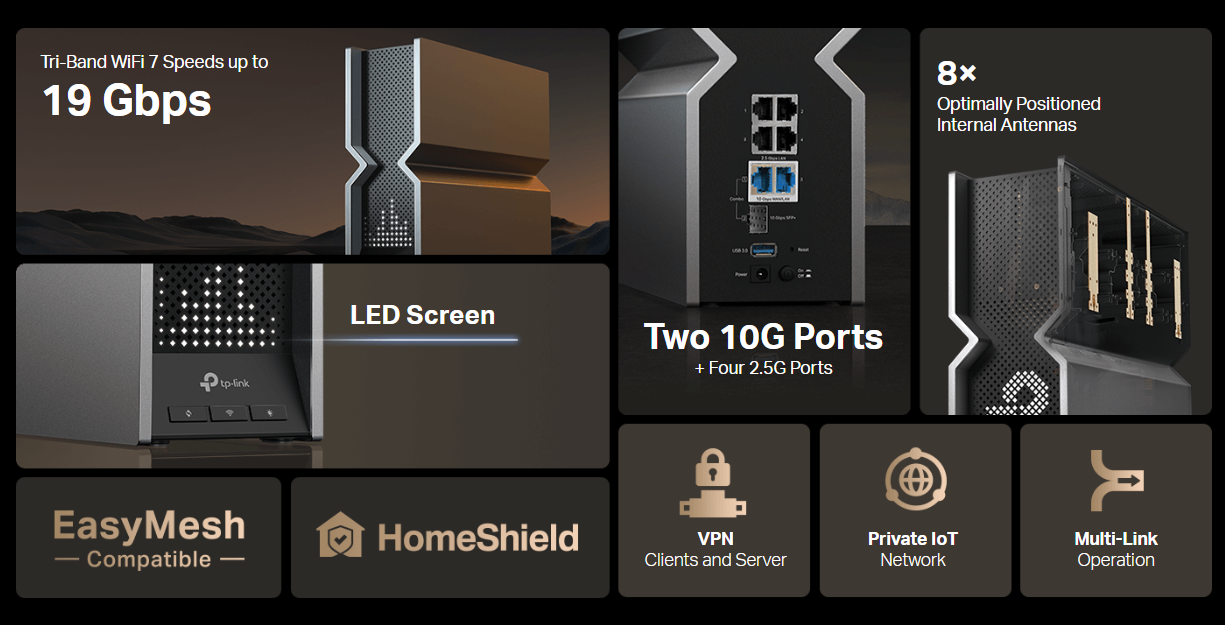
The Archer BE800 router stands out with its unique hourglass design, resembling a small desktop PC. It features a front monochrome LED display that shows emojis, messages, and even the time or weather, which can be customized or turned off. The router has three front buttons for WPS, Wi-Fi, and LED control, and its back is packed with ports, including 10GbE and 2.5GbE LAN connections. While I like the overall design and simple shape of the device, it still is on the larger side of routers out there, which has also been my complaint about many gaming routers.

This BE19000 router delivers fast speeds on 2.4GHz, 5GHz, and 6GHz bands, supported by eight antennas, a quad-core CPU, and 2GB of memory. It uses advanced Wi-Fi 7 features like beamforming, MU-MIMO, and TP-Link’s EasyMesh technology.
The mobile app lets you manage settings, view traffic, and control security features, with some advanced tools requiring a web console. Parental controls and security features are available, though full access to some requires paid subscriptions. The app also offers daily usage charts, screen customization, and options for setting up guest networks, QoS, and more. While these features are great, most devices today, including your PlayStation 5 and Xbox Series X, do not support Wi-Fi 7, meaning you can’t utilize this technology on the latest consoles. However, if you wait for the PlayStation 5 Pro, you will have access to the capabilities of Wi-Fi 7.
Performance and User Experience
The Archer BE800 delivers exceptional performance across all its supported Wi-Fi bands. During testing, the 6GHz Wi-Fi 7 network delivered speeds as fast as my Australian NBN connection could with ease and high stability. In terms of wireless signal strength, there was a strong signal across the 2.4GHz and 5GHz bands throughout the home, but the 6GHz range was noticeably weaker.

The BE800 also performed well for file transfers. During tests that involved moving files across my internal network, I could regularly see speeds of over 100MBps, both reading and writing. This makes it an excellent option for users who require fast and reliable data handling across multiple devices. Overall, the router’s performance, particularly on the 5GHz and 6GHz bands, provides a strong, reliable connection suitable for demanding applications like streaming, gaming, and large file transfers.
Integration and Configuration
Setting up the Archer BE800 is simple and user-friendly. After connecting the router to the modem via the 10GbE WAN port and linking a desktop PC to the 10GbE LAN port, the installation process was straightforward. I powered on the router, opened a browser, and accessed the router setup page using the provided link. I opted for a dynamic connection type, kept the default MAC address, and customized my wireless settings. For testing purposes, I separated the wireless bands, allowing for better control and analysis during the setup process. Once the router completed a quick connection test and firmware update, it was ready for use.

The Archer BE800 integrates smoothly with TP-Link’s mobile app, allowing for easy management of Wi-Fi and LAN settings, guest networks, and parental controls. Through the app, users can control the LED display, monitor network traffic, and access TP-Link’s HomeShield security features. For more advanced configuration options, such as setting up a VPN server or customizing DHCP settings, the web-based console provides the necessary tools. The app interface is clean and straightforward, making it easy to navigate between basic settings, traffic monitoring, and security scans. This combination of mobile and web-based management gives users flexibility in controlling the network and ensures that even advanced settings are accessible without much hassle.
Value for Money
The TP-Link Archer BE800 packs a punch with the bleeding edge of the latest technology, including Wi-Fi 7. If you are looking to be an early adopter and have access to a feature-rich suite of software and the best new technology that your devices may not yet support, then you will be very happy with this device. If you are holding out for the PlayStation 5 Pro, then you may also consider a router capable of pushing it to its limits in connectivity.

For me, the AU$999 price tag is currently too much to justify something as feature-rich as the Archer BE800. Most of my devices do not support Wi-Fi 7 capabilities, and the internet speed of the average Australian NBN-connected home does not come close to the performance this device can handle.
Disclosure: Game Crater was provided the tech for this review. Some links provided in this article are affiliate links. Game Crater will be paid a commission if you use this link to make a purchase.

Leave a Reply